


Mirror App - Beauty Mirror
4.61.20K Reviews
App Specs
- Version
- 1.02.44.00908
- Updated On
- License
- Free
- Downloads
- 5,000,000+
- Developer
- Dairy App & Notes & Audio Editor & Voice Recorder
- Categories
- Beauty
- Platform
- Android, iOS
Screenshots
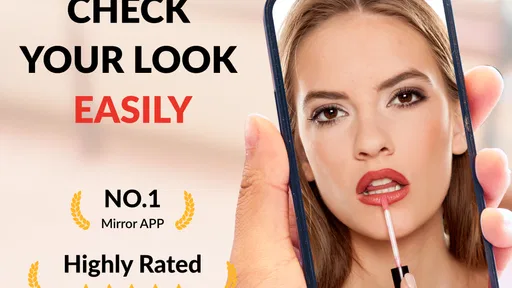
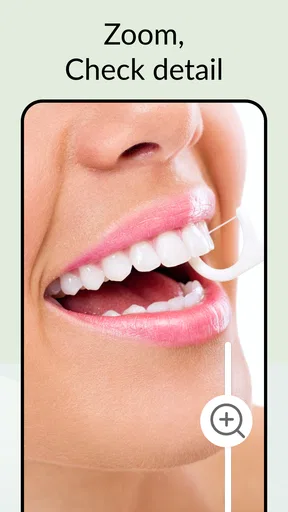
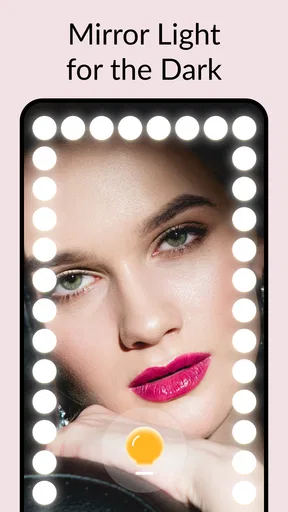



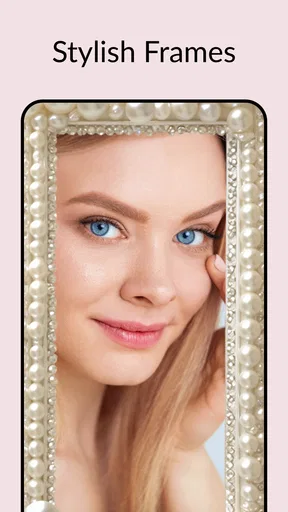

 Analysis by AppCompare
I often notice the value of a mirror app when I’m away from home and don’t want to hunt around for a reflective window or ask someone to check my appearance. A phone is already in my hand, so using its front camera for a quick look is an easy fix. Mirror App - Beauty Mirror is built around that small, practical need: it turns a phone into a personal mirror, with controls that can help when lighting or a close-up view matters.
A mirror for the moments between plans
The app makes most sense as a quick-check tool, rather than a replacement for a proper bathroom mirror. I’d use it before stepping into a meeting, after lunch, or while getting ready in a room with poor light. It is also useful for a compact makeup check when there isn’t a larger mirror nearby. The appeal is that I can open it, look, make a small adjustment, and move on without setting up a photo or asking another person.
That convenience has limits. A front camera is not the same as a large, evenly lit mirror, and the view depends on the phone’s camera and the space around me. If I need to judge an outfit from head to toe, compare subtle makeup shades, or work carefully on a detailed look, I’d choose a physical mirror with better coverage. For a fast check of hair, lipstick, or a smudge, a phone screen is much more convenient.
How it fits a shared phone
In a household where people sometimes borrow the same device, this kind of utility is easy to understand without a long explanation. Someone can open the mirror for a quick grooming check and hand the phone back. I would still treat it as a personal-use app: keep the device in the user’s hands, avoid passing it around while the camera view is open, and close the app when finished. Those simple habits make shared use more comfortable without assuming that the app provides household or account-management tools.
It can also help coordinate small routines without turning the phone into a group project. One person can check their appearance before leaving, then pass the device on when they are done. If several people are getting ready at once, the app may save a trip to the bathroom mirror, but it won’t solve every bottleneck: a phone screen is small, and one person needs to hold it at a useful angle. For a household, I see it as a handy backup rather than a shared central mirror.
Setup, expectations, and trust
Installing the app is a straightforward start, and the layout is described as simple enough for casual use. The developer is Dairy App & Notes & Audio Editor & Voice Recorder. The app is free to download, with optional in-app purchases listed from $0.99 to $9.99 per item, so I’d check the purchase details before confirming anything if someone else uses the device. That is especially sensible on a shared phone, where the person opening an app may not be the person responsible for purchases.
The age rating is Everyone, which makes the app broadly suitable as a basic utility, but I would still use ordinary device-sharing judgment. A mirror view can show someone on screen, so it’s better to use it privately and close it before handing the phone to another person. The app’s current version is 1.02.38.0210, and it supports Android 7.0 and later. I would not assume that a version number or age label replaces a household’s own rules for borrowing devices.
Worth Reading Before You Choose

Flipboard Shows What News Apps Must Do Beyond the Feed

Switching to Android Auto Means Rethinking Your Driving Routine

Google Calendar Makes a Crowded Week Easier to Manage

Ludo King Makes the Most of the Minutes Between Plans

Baby Panda World Brings Quick Play to Modern Phones, but Its Game Library Feels Busy

ESPN’s Live Game View Makes Following Close Games Easier
First Impressions and Setup
Alright, let’s get down to business. Installing the Mirror App - Beauty Mirror is a breeze. Just head over to the Google Play Store or the Apple App Store, hit download, and bam! You’re ready to go. The app is lightweight, so it won’t hog your phone’s precious space.
Once you open the app, you’re greeted with a simple, no-nonsense interface. It's pretty intuitive, which is a big plus. You’re not bombarded with unnecessary buttons or confusing options. Just a nice, clean screen ready to reflect your lovely face.
The Features That Shine
One thing that stands out about this app is its simplicity. But don’t let that fool you; it’s packed with some cool features. The zoom function is a game-changer. Need a closer look at that eyeliner? No problem. Just pinch and zoom with your fingers, and voilà!
Lighting can be a bit tricky sometimes, especially in dim settings. But fear not! The app allows you to adjust the brightness, ensuring you have the perfect lighting to get your look just right. No more struggling to find the right angle or lighting; this app has got your back.
And if you’re into checking out your style from different angles, the freeze frame option will be your new best friend. Tap to freeze your reflection, so you can take your time examining every detail without awkwardly holding your phone still.
Real-World Use
Now, let’s talk practicality. I’ve used the Mirror App - Beauty Mirror in various scenarios, and it holds up pretty well. Whether you’re in a dimly lit restaurant or out on a sunny day, the app performs consistently. The adjustable brightness feature is particularly handy in low-light situations.
One thing I noticed is that the app works best on newer phones with better front cameras. If you’ve got an older model, the reflection might not be as crisp, but it’s still usable. Just something to keep in mind if you’re a stickler for top-notch clarity.
Potential Tweaks and Improvements
While the Mirror App - Beauty Mirror is pretty solid, there’s always room for improvement. It would be awesome if they added a feature to save your favorite lighting settings. That way, you wouldn’t have to adjust it every time you open the app.
Also, an option to change the frame color or add fun borders could add a bit of personality to the app. Not a deal-breaker, but it could enhance the user experience.
Choosing it over familiar alternatives
Compared with opening the regular camera app, a dedicated mirror is appealing because its purpose is immediate: I want to see my reflection, not compose a photo. The zoom, brightness adjustment, and freeze-frame controls are useful in that context. A camera app may be the better choice if I need to capture an image, send it to someone, or use tools beyond checking my appearance. A physical mirror remains preferable for accurate color judgment and a wider view.
One practical tip is to begin with the phone at a comfortable distance, then use zoom only for a detail that actually needs inspection. Zooming in too far can make a small screen feel less useful, and it may encourage me to scrutinize details that are hard to judge in ordinary lighting. For makeup, I’d check the overall look first, then use a close view for a specific edge or smudge. That keeps the app useful without mistaking a magnified view for how the result looks to everyone else.
Small routines that make it more useful
For a quick before-and-after check, I’d use the freeze option while adjusting one thing at a time: smooth a strand of hair, release the frozen view, and check again. It avoids having to keep my hand perfectly still throughout a small grooming task. The feature is also handy when I’m trying to inspect a detail in a cramped space, though it does not replace taking a photo if I need to save or share what I’m seeing.
Brightness is worth treating as a viewing aid, not as proof that makeup or skin will look identical in every setting. A brighter screen can make a dim room easier to work in, but the light around me still affects how colors appear. If I’m getting ready for daylight, I’d make a final check near the kind of light I’ll actually be in. That small distinction is useful for anyone who has ever finished makeup indoors and found the result looked different outside.
Who will appreciate it, and who may not
I’d recommend it to someone who regularly wants a quick front-camera reflection and likes having zoom, brightness, and a way to pause the view. It is particularly sensible as a backup for commuters, students, or anyone who gets ready in more than one place. The app is free to download, and its Everyone rating makes it an approachable everyday utility. It has an average rating of 4.5 from around 25,000 ratings, with more than five million installs, which suggests it has found a broad audience for this simple task.
I would skip it if I mainly want advanced beauty editing, saved photos, a full-length view, or precise color matching. Those needs call for a different tool: a physical mirror, a camera app, or a dedicated makeup workflow may suit better. The app is focused on seeing a live reflection, so its value depends on whether that is the job I actually need done.
What to expect over time
The app’s simple approach is also its main trade-off. There is little to learn, but the experience depends heavily on the phone’s front camera and the way I hold it. If the image looks soft, I’d first clean the camera lens, face a brighter source of light, and avoid relying on excessive zoom. Those are small, practical steps that can improve a mirror check without expecting the app to compensate for camera limitations.
It is also worth remembering that a frozen reflection is a paused view, not a stored record. I’d use it to take a moment to inspect something, then resume the live view when I’m ready. If I want to keep a look for later comparison, I’d use a camera tool designed for capturing images instead. Keeping those purposes separate helps avoid disappointment and makes the app’s role clear.
Final Thoughts
In a world where we’re constantly on the go, having a reliable mirror app is a blessing. The Mirror App - Beauty Mirror is straightforward, effective, and surprisingly convenient. It’s one of those apps you never knew you needed until you start using it.
So, if you find yourself frequently in need of a quick mirror check, give this app a whirl. It might just become one of your must-have essentials on your phone. And hey, you might even have some fun experimenting with the different features!
Pros
- Easy to use with intuitive controls.
- High-resolution image quality.
- Adjustable brightness settings.
- Includes zoom function for details.
- No intrusive ads during use.
Cons
- Limited to portrait mode only.
- No option for video recording.
- Requires internet for some features.
- No customization for mirror frame.
- Battery drains quickly with prolonged use.
FAQs for Mirror App - Beauty Mirror
What features does the Mirror App - Beauty Mirror offer?
The Mirror App - Beauty Mirror provides a range of features including zoom functionality, adjustable brightness, and various frame styles to mimic a physical mirror. It also includes a freeze frame option so you can capture and inspect your reflection closely. The app is designed to be user-friendly and offers a high-definition reflection for precise grooming.
Is the Mirror App - Beauty Mirror free to use?
Yes, the Mirror App - Beauty Mirror is available for free download. However, it may offer in-app purchases or advertisements. Premium features, such as additional frames or an ad-free experience, might require a purchase. Always check the app's description in the store for the latest pricing details.
Can the Mirror App - Beauty Mirror work in low-light conditions?
Yes, the app is designed to work well in various lighting conditions. It includes an adjustable brightness feature that enhances visibility, making it easier to see your reflection even in dim environments. Additionally, the app utilizes your device's front-facing camera to capture and display your image clearly.
Is the Mirror App - Beauty Mirror compatible with all devices?
The Mirror App - Beauty Mirror is compatible with most Android and iOS devices. However, it's essential to check the specific requirements listed on the app store page to ensure it supports your device's operating system version. Regular updates may also improve compatibility with newer devices.
How does the Mirror App - Beauty Mirror ensure user privacy?
The Mirror App - Beauty Mirror prioritizes user privacy by not storing any images or personal data on its servers. All reflections are processed on your device without being uploaded anywhere. Users can use the app confidently, knowing their privacy is protected, but should review the privacy policy for any specific concerns.


